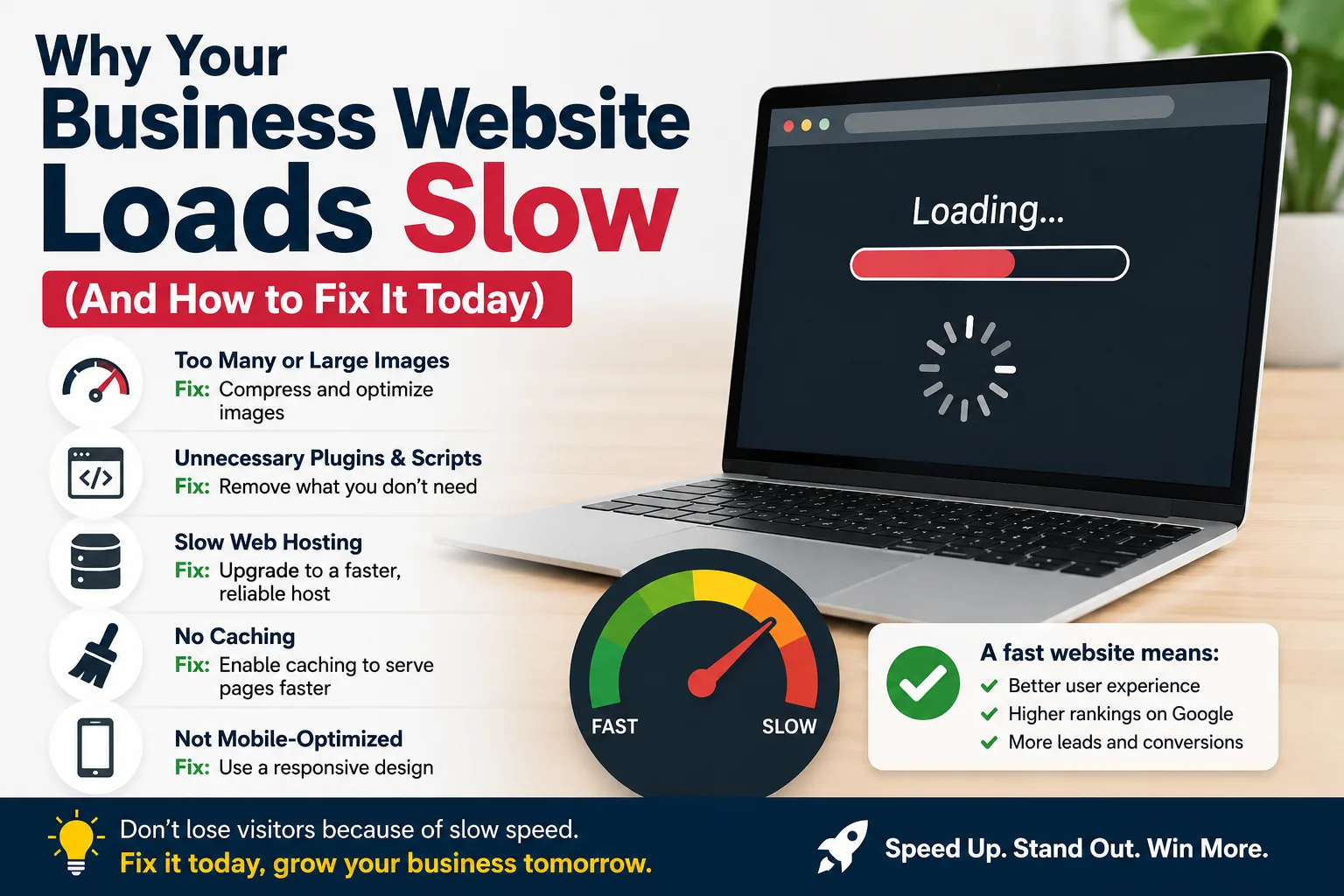
Why Your Business Website Loads Slow (And How to Fix It Today)
Here's a hard truth: if your website takes more than 3 seconds to load, half of your visitors have already left. They didn't read your headline. They didn't see your offer. They're gone — probably to your competitor.
In the Philippines, where mobile data can be spotty and patience is short, website speed isn't a technical detail. It's a sales issue.
The good news? Most slow websites have the same handful of fixable problems. Let me walk you through them.
First, Test Your Speed
Before you fix anything, measure it. Go to Google PageSpeed Insights and paste your website URL. You'll get a score from 0–100 for both mobile and desktop.
- 90+ = Excellent
- 50–89 = Needs work
- Below 50 = You're losing customers
Most Filipino business websites I audit score between 15 and 40 on mobile. Let's fix that.
Problem 1: Your Images Are Too Big
This is the #1 culprit. I see businesses uploading 5MB photos straight from their phone or DSLR. The browser has to download that entire file before it can show anything.
The fix:
- Resize images to the maximum size they'll actually be displayed at. If your content area is 800px wide, your image doesn't need to be 4000px wide.
- Convert to WebP format — it's 30% smaller than JPEG with the same quality, and every modern browser supports it.
- Add
widthandheightattributes to your<img>tags so the browser reserves space and doesn't reflow the page.
Pro tip: A 2MB JPEG becomes a 200KB WebP with zero visible quality loss. That's a 10× improvement from one change.
Problem 2: Too Many Plugins (If You're on WordPress)
Every plugin you install adds JavaScript and CSS that has to load. I've seen Filipino business websites with 30+ plugins — contact forms, SEO packs, sliders, social feeds, chat widgets, analytics, caching, security... each one adds milliseconds that add up to seconds.
The fix: Deactivate and delete any plugin you're not actively using. Be ruthless. If a feature isn't directly helping you get customers, kill it.
Problem 3: No Caching
When someone visits your site, the server rebuilds the entire page from scratch. Images, HTML, CSS, JavaScript — all fetched fresh. This is slow and wastes server resources.
The fix: Install a caching plugin (if you're on WordPress, use WP Rocket or the free W3 Total Cache). Caching saves a ready-to-serve version of your pages, so the second visitor gets an instant load.
If you're on plain HTML (like this blog!), your hosting already handles this well — static HTML is the fastest thing there is.
Problem 4: Render-Blocking Scripts
Every <script> tag in your <head> forces the browser to stop, download,
and execute before it can render the page. Analytics, fonts, chat widgets —
they all queue up.
The fix: Add defer or async to your scripts:
<script src="analytics.js" defer></script>
defer tells the browser "load this in the background, don't block my page."
Problem 5: Cheap Hosting
If you're paying 99 pesos a month for shared hosting on an overloaded server in who-knows-where, no amount of optimization will save you. The server itself is slow before your site even loads.
The fix: Spend a bit more on decent hosting. For Filipino businesses:
- Cloudways or SiteGround for WordPress (~500-1000 pesos/month)
- Cloudflare (free tier) as a CDN in front of your site — caches your content at edge locations worldwide
The Quick Wins Checklist
If you do nothing else, do these three things today:
- Resize and compress your images (use a tool like the Image Toolkit to batch-convert to WebP)
- Install a caching plugin (or move to static HTML)
- Enable Cloudflare (free, takes 10 minutes)
These three changes alone will take most sites from a 30 to a 70+ on PageSpeed Insights.
Bottom Line
Website speed is a customer experience issue, not a technical one. Every second of delay costs you visitors, leads, and sales. The fixes above are simple, mostly free, and pay for themselves the first week.
Don't let a slow website quietly kill your business. Audit it today.
Want a free speed audit of your website? Send me the URL and I'll tell you exactly what to fix — no obligation.